General
The REST HTTP API allows data in the Pervasive Telemetry system to be accessed. Sites, Locales, Site Parameters, Site Notes, Alarms and Sample data can be accessed using the API.
All API calls use the following base URL:
https://www.telemetry.net.au/api/v1/
Security
The API can only be accessed using the HTTPS secure protocol, HTTP access is not allowed. TLS 1.2 is recommended.
All API calls require authentication using an API Key issued by the Pervasive Telemetry website. This Key identifies what resources can be accessed by the caller and what rights the caller has to those resources.
The API key can be passed using either HTTP basic authentication or using the X-Api-Key header.
HTTP Basic Auth Username Example
curl ‘https://API_KEY@www.telemetry.net.au/api/v1/…
HTTP Header Example
curl -H ‘X-Api-Key: API_KEY’ ‘https://www.telemetry.net.au/api/v1/…
Response Codes
All API calls will return one of the following HTTP Status codes.
| Code | Meaning |
|---|---|
| 200 | Call was successful |
| 201 | Create succeeded |
| 400 | Invalid Request |
| 401 | Invalid or incorrect API Key |
Note
Note: All invalid characters in the URL should be escaped. For example a ‘+’ character in a timezone offset should be encoded as %2B.
Creating API Keys
API Keys are managed on the “My Settings” page. From this page you can edit your existing keys and create new ones. The example below shows 2 keys.
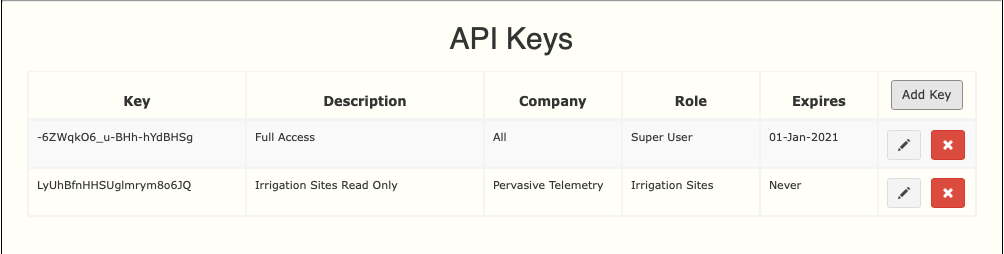
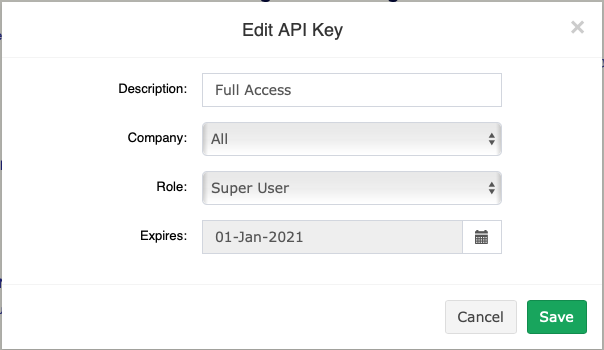
If you are a Super User you must select a Role that defines what access the key will have, this allows you to select what Sites can be accessed using the key and whether it is able to modify data or is read-only. Keys created by normal users will have the same access rights as that user. If you have access to multiple Companies then you will be able to select what Company the key applies to.
An expiration date can also be set to limit the lifetime of the key.